Mapping Site Architecture with Screaming Frog and Gephi
 Taha Yelkenci
Founder, SEO and GEO Consultant | · updated: | 3 min read
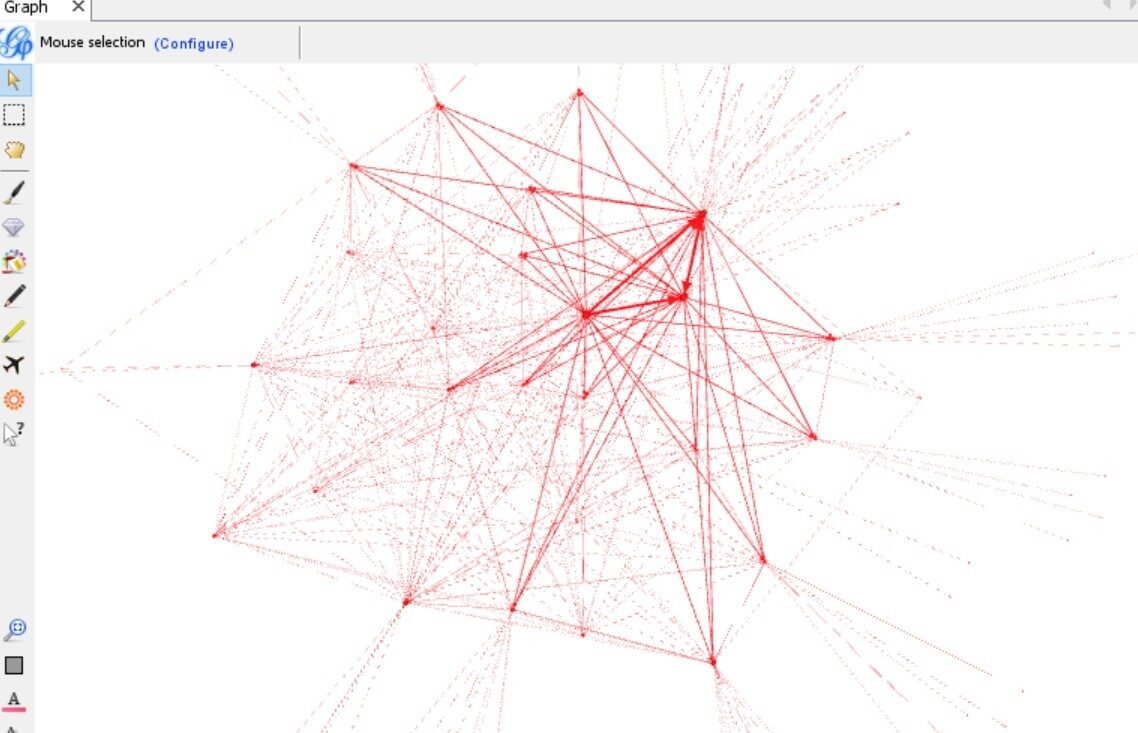
Mapping site architecture with Screaming Frog and Gephi means turning the internal link data of a site crawled by Screaming Frog into a network graph in Gephi. The internal link graph matters a great deal in technical SEO. When Google scores pages it pays attention to internal links as well as external ones. Google crawls a page more often and passes more value to it if that page receives links from more pages within the site.
Since every page carries a different value, internal link optimisation has to be done deliberately for the pages that matter.
Large sites can be hard to get to know. Which categories are strong, which pages sit under which category, where is the traffic concentrated? Which page targets promising keywords but gets no traffic? Questions like these are how you learn a site.
Wouldn't it be nice to pour the structure into a picture (a tree) to see it up close?
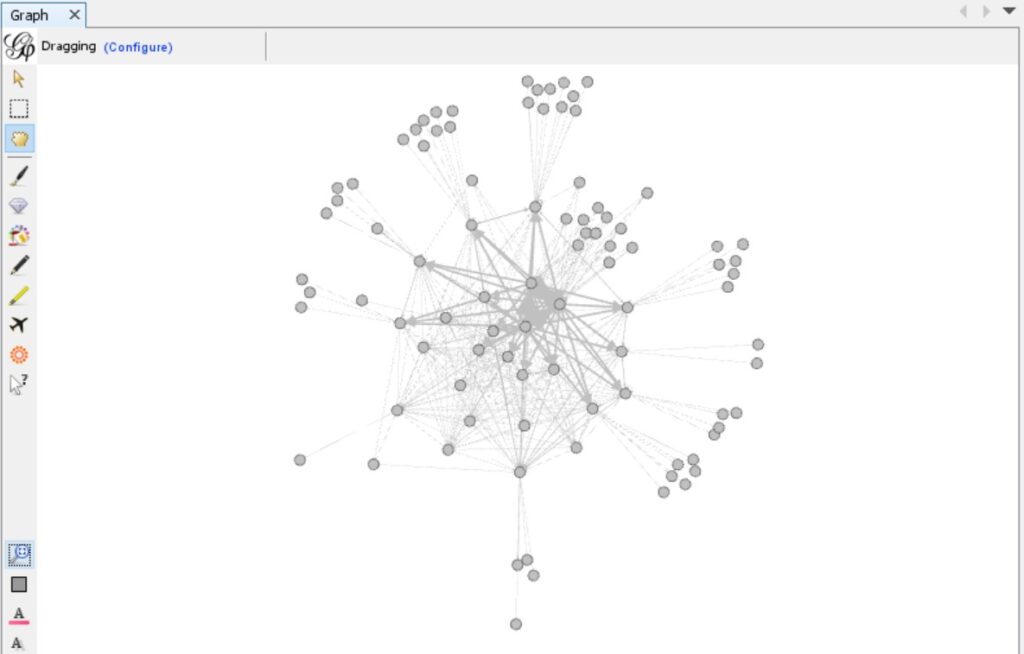
Internal linking can be driven from 5 places: the header menu, the footer, in-page text, the sidebar and a page-specific menu.
But which page is linked from which? How many links does it get? Which page receives the most?
Why do site structure and internal links matter?
Site structure and internal links matter for 3 reasons: they make the site easier to crawl, let value flow and improve user experience.
Making the site easier to crawl: as Googlebot moves through your site it takes the links on each page into account and wants to crawl them. We do not want an important page to be crawled rarely or not at all. I cover crawl frequency separately in my crawl budget post.
Letting value flow: alongside its other algorithms, Google uses PageRank to determine the value of a page. Every page on the site shares value with the others through links. Getting the right links and the right structure is therefore what carries value to the pages that matter.
Improving user experience: like Googlebot, users want to reach what they are looking for easily. The site menu and the other links on a page should guide them. Pages that were forgotten in the internal linking, or that sit too deep, are hard for users to reach.
So let's begin.
After crawling the site with Screaming Frog, download every link each page receives from Bulk Export > Links > All Outlinks. The exported sheet needs a small clean-up: column 1 should hold "Source" values and column 2 "Target" values. (You can delete everything else.) Gephi requires the Source and Target columns in an edges table.

Now open Gephi. (You can download it free from its own site.)
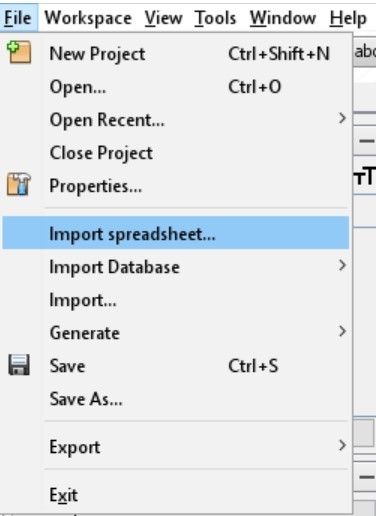
Create a new empty project and import the sheet: File > Import Spreadsheet.
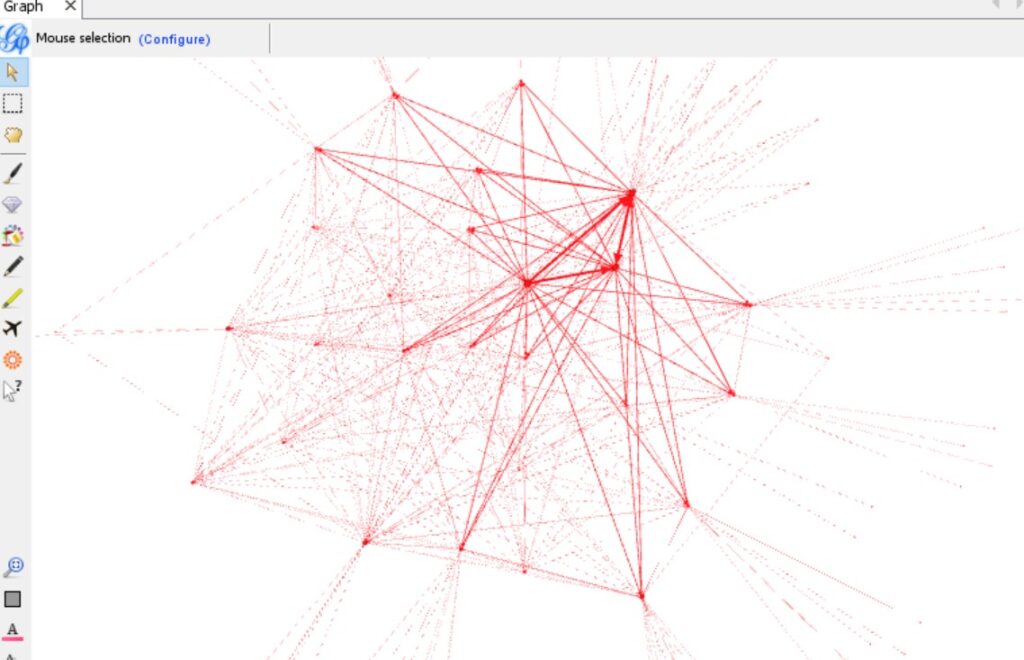
Once the file is imported the table loads and the first network graph appears.

Because the site is large there are too many outgoing links, so the first picture is meaningless. To make the graph and the structure readable you need the program's own features: colour things from the Appearance panel, apply filters, and you will get more meaningful visuals.
Update (October 2026): the Force-Directed Crawl Diagram and the Crawl Tree Graph in Screaming Frog's Visualisations menu show the internal link structure without an export to Gephi.
Which pages should you check in the Gephi graph?
In the Gephi graph, check the important pages far from the homepage and the orphan pages that no internal link reaches. The leaked Content Warehouse documentation contains a PerDocData attribute called onsiteProminence. Its description says it measures a document's importance within its site, computed by propagating simulated traffic from the homepage and high-click pages. Its weight and live use are unknown.
In the US Department of Justice (DOJ) case against Google, a February 2025 note of a call with engineer HJ Kim covers two link signals. It describes PageRank as a single signal relating to distance from a known good source, used as an input to the quality score. Anchors (A), a component of topicality, are a source page pointing to a target page, like each edge in your graph.
Google's link best practices say every page you care about should have a link from at least one other page on your site. The table maps both checks.
| Check | Where it shows | Fix |
|---|---|---|
| Important pages far from the homepage | High Crawl Depth in Screaming Frog, low In-Degree in Gephi (Average Degree, directed graph) | Link them from the homepage or high-click pages, so visitors need fewer clicks |
| Orphan pages | No node or no incoming edge, Orphan URLs in Screaming Frog's Sitemaps tab | Link them from a related page's body text |
The Orphan URLs filter needs Crawl Linked XML Sitemaps enabled and a crawl analysis. My Google leak audit adds a topic radius script for pages off your main topic.
Here are 6 resources for using Gephi more effectively:
Easy Visualizations of PageRank by Page Groups with Gephi (Search Engine Land)
Visualizing Internal Link Juice Flow and Power with Gephi (AWR, archived copy)
Visualize your Website Structure with Gephi (Analysith)
Taha Yelkenci
SEO since 2010. Founder of rankZup. Got a question? Write to me →
Comments
Be the first to comment
← Previous post
You might also like
January 24, 2020 · 3 dk
December 6, 2019 · 3 dk
November 1, 2018 · 3 dk