Using XPath in Screaming Frog for More Meaningful Crawls
 Taha Yelkenci
Founder, SEO and GEO Consultant | · updated: | 3 min read
XPath is a query language used to select elements in an HTML document. Screaming Frog uses it in custom extraction to pull any element you define from every crawled page. When I compare what SEO tools offer on the crawling side, almost all of them ship the same features.
These shared features include slow pages, duplicate tags, title/description/H1 problems, link depth and redirected URLs. I could keep going.
Any crawler used with its default settings tends to produce results that are not particularly effective.
And if we assume even a low-authority competitor is running the same kind of audit, then we need more data, more analysis and more meaningful conclusions.
That is why I want to talk about using XPath to make crawls more effective.
How to get more meaningful data with Screaming Frog and XPath
You get more meaningful data with Screaming Frog and XPath by defining the XPath expression of a specific page element under Custom Extraction and collecting that element during the crawl.
Here are 3 examples:
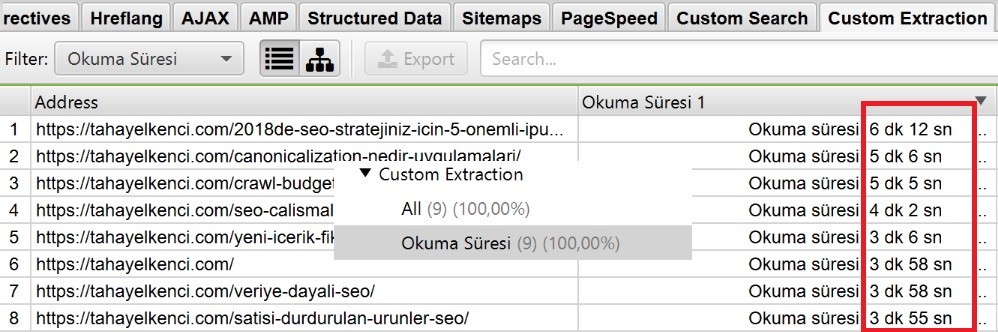
1. I can collect the reading time of every article published on this blog.
If you only want the how-to, you can skip these examples and jump to the XPath section.
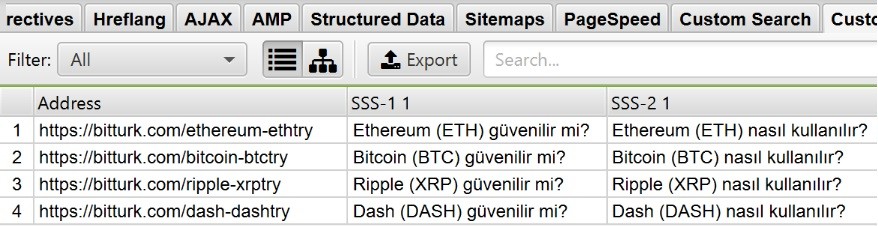
2. The product pages on Bitturk.com carry a generous frequently asked questions (FAQ) section. While crawling the site we can use XPath to collect every FAQ question in one pass.
3. Say we are about to build a landing page for a product.
Which questions do people ask most about it? What are they happiest with? What do they complain about? To answer questions like these and improve the on-page experience, we can harvest the product reviews.
For the "Samsung Galaxy Note FE" we can pull every review from Hepsiburada.
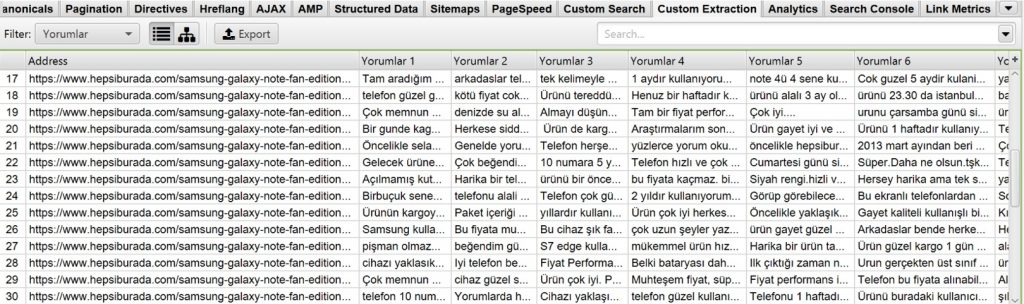
To make sense of those reviews we can filter the most repeated words in Excel and interpret them.
We could multiply the examples, but what matters is deciding which data you actually need and being able to interpret it once you have it.
By identifying the shared patterns across more than one page and defining them in the tool before the crawl, we can grow the data set the crawl produces.
Let's get to using XPath
To use XPath, first look at the source of the data you want to collect. The data source could be the product price, the number of reviews, the reviews themselves. It depends on the need.
I want every review for the product.
I can inspect the page holding the reviews with the Chrome console.
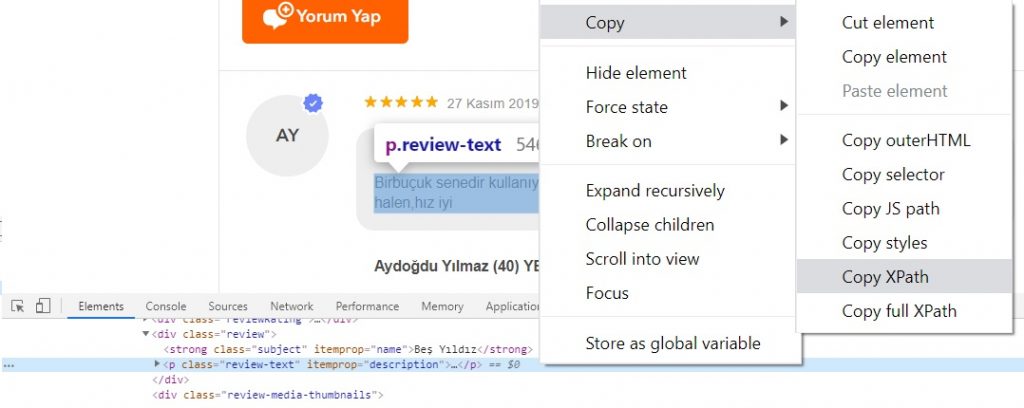
Looking at the review area, its class is "review-text". We can use the Chrome console to grab the XPath of that class. The console does not always hand you the right value, though.
So you may need to build the XPath by hand (in the form //*[@class="review-text"]).
Or, as an alternative, you can use the Scraper extension for Chrome.
Update (October 2026): the Scraper extension is no longer available in the Chrome Web Store. The browser icon in Screaming Frog's Custom Extraction window lets you select the element by clicking it on the page and suggests the XPath expression itself.
Collecting data with XPath in Screaming Frog
Before starting the crawl, the XPath entries have to be filled in correctly under Configuration > Custom > Extraction.
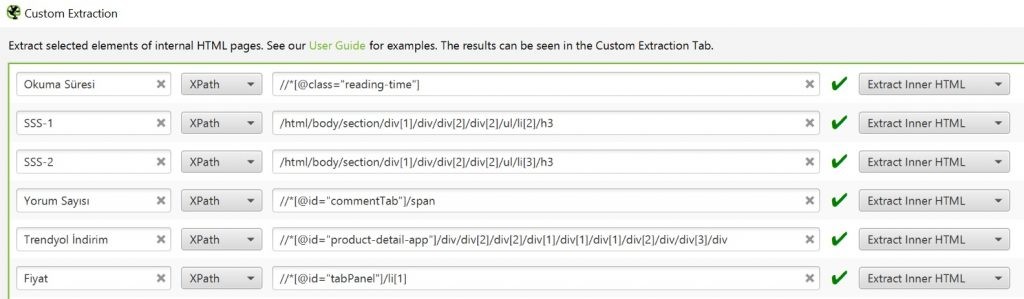
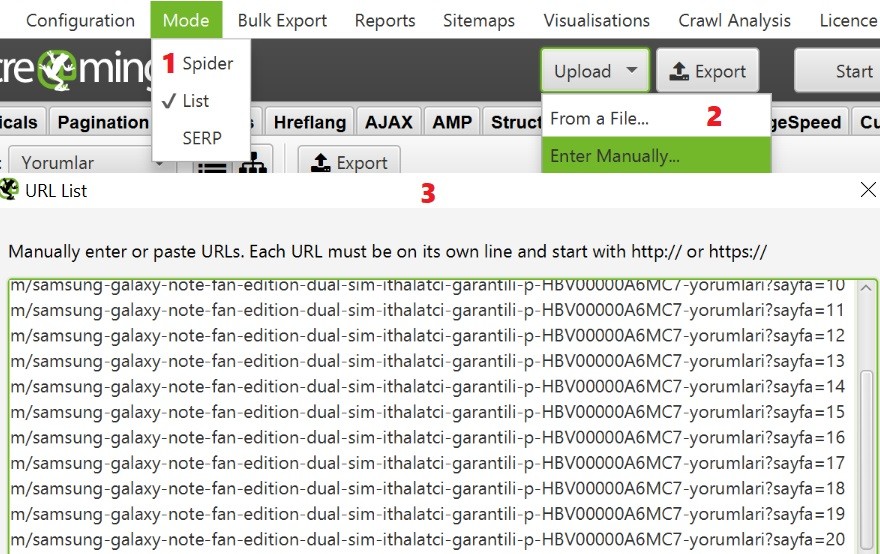
Because the reviews I am collecting only apply to one product, I will crawl nothing but the pages holding those reviews. I generate the URLs in Excel and then let Screaming Frog crawl only that list in list mode (Mode > List) if the number of pages to crawl is large.
I cover mapping site architecture with Gephi from a Screaming Frog crawl in a separate post.
Happy crawling.
Taha Yelkenci
SEO since 2010. Founder of rankZup. Got a question? Write to me →
Comments
Be the first to comment
← Previous post
Next post →
You might also like
August 10, 2020 · 3 dk
January 24, 2020 · 3 dk
November 1, 2018 · 3 dk